Why Zigbee Is the Smarter Choice for a Serious Smart Home
WiFi is convenient for a few devices, but it was not designed for dozens of smart home sensors and switches all competing for bandwidth on the same network. Zigbee solves this with a dedicated low-power mesh protocol where every mains-powered device also acts as a signal repeater. The more Zigbee devices you add, the more robust and responsive your network becomes. MOES Zigbee 3.0 devices work with any Tuya-compatible Zigbee gateway and integrate with Home Assistant via 2MQTT for users who want full local control.
Zigbee vs WiFi: What Actually Matters Day to Day
Response time. Zigbee devices typically respond faster than WiFi devices because they communicate directly with the gateway over a dedicated protocol rather than routing through your home router and the cloud. For automations that need to trigger instantly, such as a motion sensor turning on a light, this difference is noticeable.
Battery life. Zigbee sensors consume significantly less power than WiFi sensors. A Zigbee door sensor or temperature sensor can run for one to two years on a single battery, compared to months for a WiFi equivalent. This makes Zigbee the practical choice for battery-powered devices placed throughout the home.
Network reliability. Because Zigbee uses a mesh topology, a signal that cannot reach the gateway directly will route through nearby devices to get there. This means Zigbee networks are inherently more resilient than WiFi setups where every device depends on a direct connection to the router.
Local control. MOES Zigbee gateways support local automation execution, meaning your scenes and schedules continue to run even when your internet connection is down. For users who want their smart home to work independently of cloud services, Zigbee with a local gateway is the right architecture.
Building Your Zigbee Setup
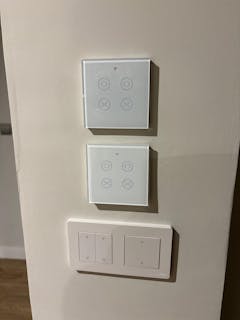
Start with a MOES Zigbee gateway as the hub of your network. Then add devices based on your priorities: Zigbee switches for lighting control, sensors for security and automation triggers, and Zigbee curtain motors for window automation. All devices appear in the same Tuya Smart Life app and can be combined into scenes and automations regardless of device type.