Automate Your Garage Door, Lights and Security
The garage is one of the most under-automated spaces in modern homes. For most families, the garage serves multiple roles -- it stores vehicles, doubles as a workshop, houses expensive tools and equipment, and often provides secondary access into the house itself.
Despite this, garages typically run on basic manual systems: a remote control for the door, a pull-chain light, and maybe a padlock on a side entrance.
A smart garage upgrade changes all of this. With a handful of MOES devices, you can automate door control, trigger lights based on motion, monitor entry points with door sensors, and manage power to tools and chargers through smart plugs. The result is a garage that works for you instead of the other way around.

Why the Garage Remains an Under-Automated Space
Several factors explain why garages lag behind other rooms in smart home adoption. First, garages are often detached or semi-detached from the main house, creating WiFi coverage challenges.
Second, many homeowners see the garage as purely utilitarian and do not think about comfort or convenience upgrades there. Third, garage door openers have used simple RF remotes for decades, and people assume that is all they need.
These assumptions miss significant benefits. An automated garage improves home security by ensuring doors are never left open accidentally.
It saves energy by turning off lights and appliances when no one is present. It adds convenience -- arriving home at night to a lit garage with the door already opening is a small daily luxury that adds up over time.
MOES devices use Zigbee protocol, which forms a mesh network. Zigbee devices that support router functionality can relay signals and extend the mesh network, helping maintain connectivity in areas with limited coverage.
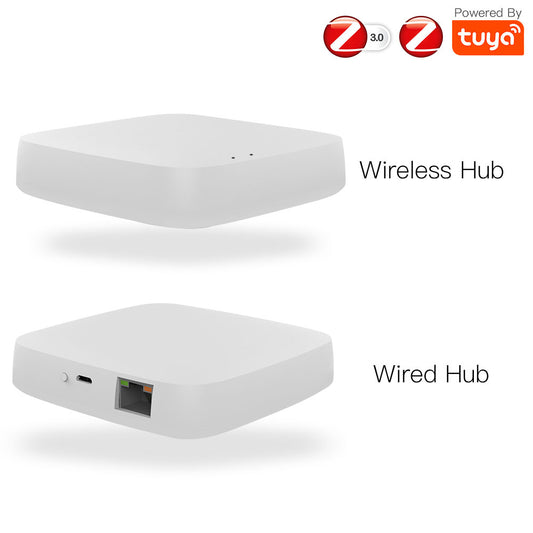
A centrally placed MOES Zigbee Gateway can help provide reliable connectivity for garage devices, provided the Zigbee network has sufficient coverage between the gateway and the devices.
Smart Garage Door Control With a Relay
The centerpiece of any smart garage is automated door control. A MOES Smart Garage Door Controller connects to your existing garage door opener and provides app-based control, voice commands, automation triggers, and real-time door status monitoring.
Because the controller includes a built-in door status sensor, you can check whether the garage door is open or closed without installing a separate door sensor on the main garage door.
You do not need to replace your existing garage door opener. The MOES controller works with compatible garage door opener systems by connecting to the opener's control interface.
How the MOES Smart Relay works with your garage door:
The controller can emulate the action of the wall-mounted garage door button. When you trigger the controller from the MOES app or an automation, it sends the appropriate control signal to the compatible garage door opener, allowing the door to open or close.
The built-in door status sensor provides feedback on the actual garage door position, allowing the app and automation system to distinguish between an open and closed door.
This is particularly useful for security automations, scheduled closing, and remote status checks.
The exact wiring, control interface, and installation method depend on the garage door opener model. Always check the opener's specifications and installation instructions before connecting the controller.
Key automation scenarios:
Arriving Home
If supported by your smart-home platform and configured appropriately, you can use a geofence automation to trigger the garage door when you arrive home.
For security, consider requiring an additional confirmation or condition before automatically opening the door. By the time you pull into the driveway, the door is fully open and waiting.
Goodnight Routine
A single voice command checks and closes the garage door if it is open, alongside locking doors and turning off lights throughout the house.
Scheduled Close
Automatically close the door at 10:00 p.m. if it is still open. Never wake up to discover the garage was left open all night.
Delivery Access
If your smart-home platform supports temporary user access, you can provide time-limited access for a delivery window and revoke that access afterward.
Safety consideration: Always pair garage door automation with a physical safety sensor (photoelectric beam at the door base).
The MOES relay does not replace your opener's built-in safety reverse mechanism. The relay adds smart control on top of existing safety features.
Automated Lighting With Motion Sensors
Garage lighting should never require groping for a switch in the dark. A MOES Motion Sensor mounted on the ceiling or high on a wall detects when someone enters the garage and triggers smart lights or smart plugs connected to your lighting fixtures.
Common smart garage lighting setups include:
Main Vehicle Bay Sensor
A ceiling-mounted MOES Motion Sensor covers the primary vehicle bay. It detects car pull-in or foot traffic and activates overhead LED fixtures through a MOES Smart Plug or Smart Switch.
Workbench Zone Sensor
A secondary sensor near the workbench area with a shorter timeout. Lights up the work area when you approach and turns off quickly after you leave to save power.
Entry Door Sensor
A sensor at the internal door between garage and house. When this door opens, garage lights activate so you never step into a dark space.
The motion sensor's configurable timeout (from 5 seconds to 30 minutes) lets you tune behavior for different zones.
A vehicle bay might need a 5-minute timeout, while a workbench area benefits from a 15-minute setting to prevent lights switching off while you are focused on a task.
Lighting comparison for different garage configurations:
| Garage Type | Recommended Sensor Placement | Light Control Method | Typical Timeout |
| Single‑car, basic use | One ceiling sensor center‑mounted | MOES Smart Plug with LED fixture | 3‑5 minutes |
| Double‑car, workshop | Two sensors: bay + workbench zone | MOES Smart Switch (hardwired) + Smart Plug (bench light) | 5‑10 minutes |
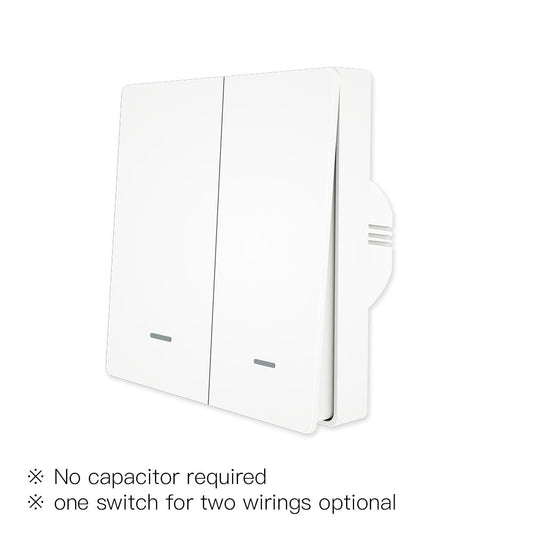
| Detached garage | Ceiling sensor + entry sensor | Compatible MOES Smart Switch or Smart Relay controlling the lighting circuit | 3 minutes |
| Integrated garage (attached) | Sensor at house entry door + ceiling | MOES Dimmer Switch for adjustable brightness | 5 minutes |
Door and Window Sensors for Security
Garages store some of the most valuable and portable items in a home -- power tools, bicycles, sports equipment, and often a secondary refrigerator or freezer.
They are also a common entry point for intruders because side doors and windows are less visible from the street.
A MOES Door Sensor on each entry point gives you immediate awareness of any unauthorized access. The sensor consists of two parts: a main body mounted on the door frame and a magnet mounted on the door itself.
When the door opens and the magnet separates from the sensor body, a signal is sent through the Zigbee network.
Recommended sensor placements for a full garage security setup:
Vehicle Door (Main Overhead Door)
The MOES Smart Garage Door Controller includes a built-in door status sensor, so no separate MOES Door Sensor is required for the main garage door. The controller provides both smart control and open/closed status monitoring.
Side Entry Door
Install a MOES Door Sensor on the side entry door. This is the most common break-in point for garages and deserves priority monitoring.
Window Sensors
Install a MOES Door Sensor on each accessible window. Small contact sensors work well on both sliding and casement windows, and the compact design is unobtrusive.
Internal Door to House
Treat this connection as a security perimeter point. Alerts on this door should be higher priority than garage-side sensors since it provides direct access to your living space.
Alert configurations you can set up:
Nighttime Intrusion Alert
Immediate phone notification if any garage sensor triggers between 11:00 p.m. and 6:00 a.m. This covers the hours when unauthorized access is most likely and when you would otherwise be unaware.
Daytime Access Notification
Audible chime through a connected smart speaker when the side door opens during daytime hours. Useful for knowing when family members come and go.
Armed Mode Escalation
If the internal house door sensor triggers while the home alarm is armed, escalate to full alarm notification. This distinguishes between normal garage access and a potential home intrusion.
Access History Logging
Log all door events for 30 days so you can review access history if needed. Timestamped records show exactly when each door was opened and closed.

Smart Plug for Tool and Appliance Control
A MOES Smart Plug rounds out the garage automation setup by providing smart control for compatible plug-in devices.
Chargers, dehumidifiers, work lights, and other appliances can be scheduled or controlled remotely, depending on the device and its intended use.
Practical uses for a smart plug in the garage:
Battery Charger Management
If recommended by the tool manufacturer's charging instructions, a smart plug can be used to control when a compatible charger receives power.
Avoid using a smart plug as a substitute for the charger's built-in battery management and safety features.
Dehumidifier Control
Pair a compatible smart plug with a temperature and humidity sensor to run a dehumidifier when humidity exceeds a defined threshold. This can help reduce unnecessary operation during dry conditions.
Freezer Alert
If the freezer manufacturer permits the use of an external energy-monitoring device, a compatible smart plug can monitor power consumption. An unusual or prolonged change in power usage can trigger an alert for further inspection.
Do not use a smart plug to routinely disconnect power from a freezer unless both the appliance and smart plug are specifically rated and approved for this type of use.
Seasonal Lighting
Use a smart plug to schedule holiday lights or workshop lighting from sunset to bedtime. Set the schedule once and let the lights operate automatically throughout the season.
Complete MOES Product Recommendations for Smart Garage
Here is the recommended product list for a fully automated garage:
- MOES Smart Relay -- Controls the compatible garage door opener and provides door status monitoring through its built-in sensor, with app control, voice commands, and automation triggers.
- MOES Motion Sensor -- Detects entry for hands-free lighting activation in vehicle bays and work areas.
- MOES Door Sensor -- Monitors secondary entry points such as side doors, accessible windows, and the internal door to the house.
- MOES Smart Plug -- Manages compatible plug-in devices such as work lights, dehumidifiers, and other garage appliances.
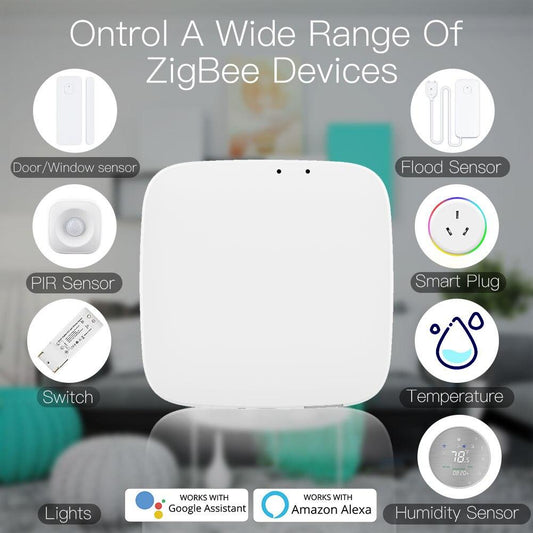
- MOES Zigbee Gateway -- Connects Zigbee devices and enables supported automation rules, scenes, and remote access.
These five devices create a complete automation ecosystem that covers access, lighting, security, and power management for any residential garage.
Frequently Asked Questions
Q: Can the MOES Smart Relay work with any brand of garage door opener?
A: The MOES Smart Relay works with most garage door openers that use a standard dry contact wall button -- which covers the large majority of residential openers from brands like Chamberlain, LiftMaster, Genie, Merlin, and B&D. The relay connects to the two push-button terminals on the motor unit. If your opener uses a proprietary digital communication protocol (some newer Chamberlain/LiftMaster models with Security+ 2.0), you may need an adapter. Check your opener's manual for the wall button terminal type.
Q: Can the MOES Smart Garage Door Controller work with any brand of garage door opener?
A: The MOES Smart Garage Door Controller is designed to work with compatible garage door opener systems. Compatibility depends on the brand, model, control interface, and wiring configuration. Some garage door openers use proprietary communication protocols and may require a compatible adapter or integration method. Always check your opener's specifications and the MOES product compatibility information before installation.
Q: What happens to my garage automations if the internet goes down?
A: Zigbee is a local protocol. All automations that run directly between paired devices (for example, motion sensor triggers smart plug) continue working without internet because they communicate over the local Zigbee mesh. Cloud-dependent features like remote app access and push notifications require an internet connection. When the internet returns, all devices automatically reconnect. Your schedules stored on the MOES Gateway continue running on local time.
Q: Can multiple family members control the garage door from their own phones?
A: Yes. The MOES app supports multi-user access. Install the app on each family member's phone and log into the same MOES account. Everyone gets full control of all devices. You can also share specific device access through the app's sharing feature if you want to limit some users to certain devices only.
*Build your intelligent garage with MOES -- explore the full product range at moeshouse.com.*