MOES AI Desktop Panel Puts the Whole Smart Home on the Desk
The smart home has a control problem. The switches are on the walls, the sensors are in the rooms, and the app is on a phone that is usually in another room. MOES closes that gap with the new AI Desktop Center Control Panel, a touchscreen hub that sits on a desk and puts the whole house at one tap. It combines a control screen, a voice assistant, and a Zigbee and BLE gateway in a single unit, which makes it the new command point for homes that have outgrown the phone-only routine.

What the Desktop Panel Replaces
A smart home without a control panel runs on a pattern of small interruptions. The lights need the app, the thermostat needs another app, and the doorbell video needs a third. Every routine becomes a phone hunt. The desktop control panel replaces that pattern with a fixed command point that stays in the same place and provides convenient access to compatible devices, scenes, and home information.
The Fixed Command Point
A desk panel works because it does not move. It sits where the person who runs the house actually sits, so the morning routine becomes one screen: turn on the office lights, check a compatible thermostat, view a connected front-door camera, and trigger a configured morning scene. The phone stays in the pocket.
The same logic applies to the evening. Instead of walking from room to room turning things off, the panel closes the day from one spot. The lights dim, the doors lock, and the thermostat drops to the night setting, all from the desk before the laptop goes to sleep.
The Second Screen for the Home
Homes with a wall panel already in place get a second screen that matches it. The desktop panel runs the same room scenes and the same device list, so a wall panel at the front door and a desktop panel in the study do not fight each other. They show the same house from two places.
The Built-In Hub
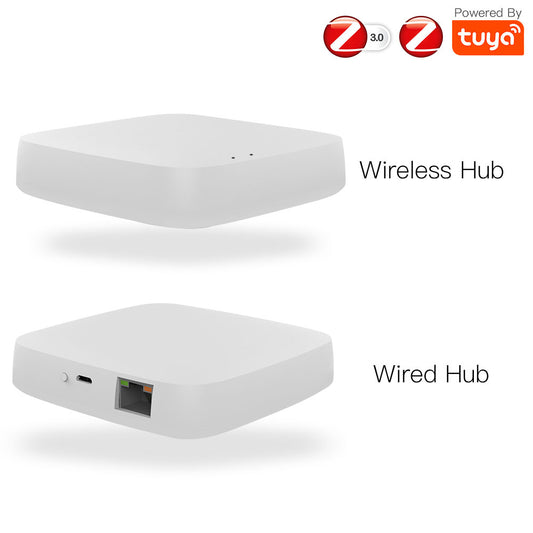
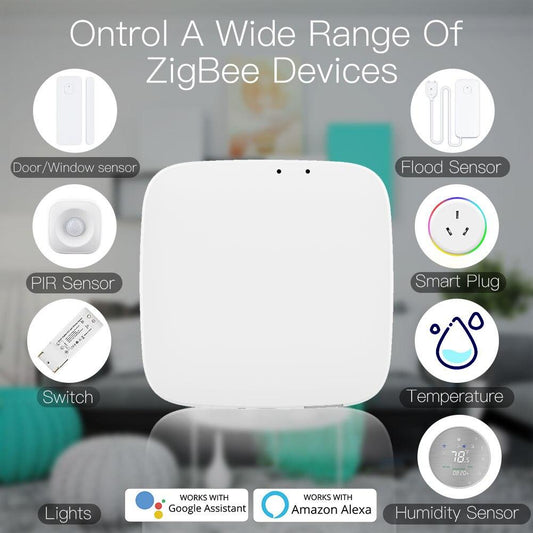
The panel is not just a screen. It carries a Zigbee and BLE hub inside, which is the detail that changes what it can do. Zigbee devices across the home connect to the house through this panel, so a home that already runs Zigbee sensors and switches can connect compatible Zigbee and Bluetooth Mesh devices without requiring an additional gateway. The integrated gateway also simplifies the setup by allowing compatible Zigbee and Bluetooth Mesh devices to connect directly through the panel without requiring a separate hub.

Three Devices in One Unit
The combination means one device does the work of three: a control screen, a voice assistant, and a Zigbee gateway. The desk gets one unit instead of a screen plus a hub plus a speaker, and the wiring stays as simple as a power cable.
- Control screen
- Built-in Alexa voice assistant
- Zigbee & BLE gateway
The Voice Assistant on the Desk
Alexa is built into the panel, so voice control works without a separate smart speaker on the desk. "Alexa, turn on the living room" and "Alexa, set the thermostat to 21" answer directly from the panel, which matters in rooms where the speaker never quite reaches or the phone is charging.
Voice Where the Wall Panel Cannot Go
The wall panel stays in its room, and the desktop panel brings the same voice and screen control to wherever the desk is. Studies, home offices, and kitchen counters are the typical spots, because those are the rooms where people spend the day and want the house under a thumb.
The Scenes and Routines
The panel runs the same scenes as the MOES app, so one tap on the screen does what used to take three app steps. A morning scene turns on the study lights and opens the shades, an evening scene dims the rooms and arms the security, and a movie scene handles the lights and the shades together. The scene list is on the screen, not buried in the app.
The difference between the panel and the phone shows up in the small moments. The phone needs unlocking, opening the app, and waiting for the device list to load. The panel stays powered and ready on the desk, with scene controls available before the phone even leaves the pocket. It is the same control with a different friction level, and the lower friction is why the panel gets used while the phone routine gets skipped.
Turn on study lights & open the shades
Dim rooms & arm the security
Handle lights & shades together

The At-a-Glance Status Screen
The home screen shows the state of the house without any tapping. Thermostat temperature, door sensor status, and the last motion event are visible at a glance, which is the difference between checking the house and operating it. A quick look tells the whole story.
The desktop format also makes it convenient to check the home from a fixed location without having to search for a phone.
How It Fits the MOES Line
The desktop panel is the control layer for the rest of the MOES range, which is why it pairs naturally with the switches, thermostats, and sensors that already run on the same platform. Homes that started with one smart switch and grew from there reach a point where the phone feels small, and that is the point the panel is built for.
For homes that prefer the wall-mounted route, the 5-inch in-wall touch panel brings the same screen and Alexa to a permanent wall spot, and the 3.5-inch touch panel covers the smaller spaces. The desktop version is the one that sits next to the keyboard.
The Desk as the Control Room
The smart home works better when the controls are where the person is. The desktop panel makes the desk the control room, with the whole house one tap away and the Zigbee mesh one hub stronger. It is the piece that turns a collection of smart devices into a house that answers when called.
The panel joins the multi-mode gateway collection alongside the rest of the hub hardware. Put it on the desk, connect compatible smart devices, and use the screen, voice control, and built-in gateway to manage your smart home.
Shop the AI Desktop Panel →