Cut the Summer Power Bill With a Smart Energy Setup
Summer power bills spike for a simple reason: the house fights the sun all day and pays for it. The air conditioner works harder, the fridge cycles more, and the heat that comes through the windows never stops. A smart home already has the pieces to change that equation. Shades that block the sun on schedule, a thermostat that stops cooling an empty house, and plugs that switch off the standby drain can cut the bill without a single change in comfort.
Savings stack because the pieces attack different leaks. Shades cut the heat load before it reaches the room, the thermostat skips the cooling nobody needs, and the plugs stop the draw that never gets noticed. Each one is small on its own, and together they change the shape of the monthly bill.

Where Summer Heat Enters
Windows are the weak point of the summer house. Sun hits the glass, the glass warms the room, and the AC pays for the difference. Shade research shows the fix clearly: a cellular shade can cut summer cooling costs by up to 25 percent in the best case, and even a well-run roller shade keeps the worst of the sun off the glass.
Schedules Beat the Manual Habit
Shades win when they run on schedule. A morning routine closes the east windows before the sun hits them, and an afternoon routine closes the west windows before the heat peaks. This does not depend on anyone being home, which is the whole point. MOES motorized roller shades run these routines on the same app as the rest of the house.
Ventilating the Free-Cooling Hours
Evenings are the free-cooling window. When outside air drops below the inside temperature, open the windows and let the house cool without the AC. A window pusher can automate window opening and closing when paired with compatible temperature sensors and a smart home automation system, helping you take advantage of cooler evening air.
That same evening window works with a ceiling fan or a portable fan at the window, pulling the cooler air through the rooms. A fan on the same schedule as the window keeps the AC off for the hours the house can cool itself.
Bedrooms get the best of this routine, because a slightly cooler room at night cuts the sleeping temperature without running the AC through the dark hours.
Set the Thermostat for an Empty House
The biggest single waste in summer cooling is conditioning rooms nobody is in. A thermostat that runs all day while the house is empty burns power for zero benefit. The MOES Matter Wi-Fi thermostat fixes that with a schedule that matches the day.

Away Schedule Basics
A basic setup has one setting: raise the set point when the house empties, and drop it back about 30 minutes before anyone gets home. U.S. Department of Energy guidance suggests adjusting the thermostat by about 7–10°F from the normal setting for around 8 hours a day when the home is unoccupied, which can help reduce heating and cooling energy use.
That schedule matters most on the hottest days. Instead of cooling an empty house all afternoon, the higher set point skips the most expensive hours entirely, and the pre-cool window lands the family in a comfortable room at the end of the day.
Give the schedule a week to tune. Start with the standard away hours, watch the bill and the comfort, then nudge the set points. App history keeps the record, so each adjustment follows the actual usage instead of a guess.
Tying the Cooling Into One Scene
Thermostat scenes tie the cooling to the rest of the house. A "leaving for work" scene raises the thermostat and closes the shades. A "coming home" scene drops the temperature and opens the west windows if the evening air is cooler. One tap at the door runs the whole sequence.
Plug the Standby Drain
The third leak is smaller and easier to miss. Appliances on standby, chargers left in, and electronics that glow all night draw power that shows up on the bill as nothing in particular. A smart plug with energy monitoring turns the invisible drain into a number on the screen.

Finding the Drain First
Plug the monitor into the biggest suspects — the TV setup, the computer rig, the kitchen counter — and read the standby draw. Appliances that pull power while "off" are the ones that benefit from a smart plug. A monitor turns them off by schedule or by scene, and the usage history shows what the change saved.
Scheduling the Kill
Schedules eliminate the standby drain without sacrificing convenience. The TV setup can be powered down at midnight and back on before the evening, if the connected devices support automatic power recovery. The coffee machine can be powered on before the alarm and off after use, provided the appliance resumes operation automatically when power is restored. The devices that need to stay on — like the router — stay on, and everything else gets a bedtime.
The saving becomes a visible number. Weekly usage reports show the kilowatt-hours before and after the schedule, which answers the question every family asks at the end of the month: did the automation actually do anything? A plug makes the answer clear.
For higher-power appliances such as dehumidifiers, use scheduling only when the smart plug is specifically rated for the appliance's electrical load. Always check the plug and appliance ratings before connecting high-power devices.
One Scene for the Whole Summer
Morning closes the east shades and holds the thermostat up.
Afternoon closes the west shades before the heat peak.
Evening opens the windows when the air cools and drops the thermostat for the return home.
Night kills the standby drain.
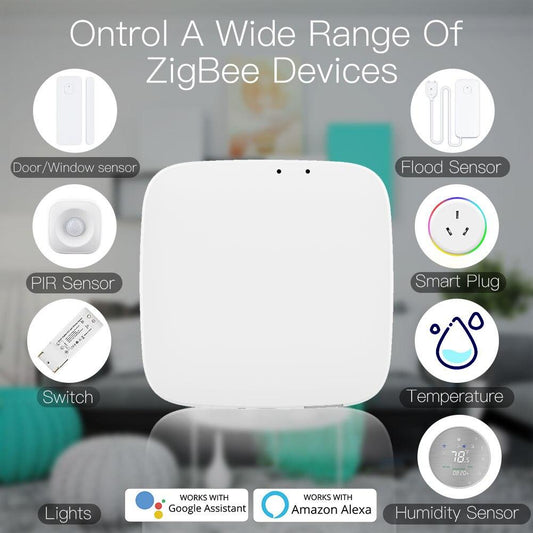
Every MOES piece runs on the same Matter and Zigbee platform, so the scene is one list instead of five apps, and the setup spreads across one afternoon.
A Summer That Runs Itself
Start with the window, because that is where the summer heat enters. Add the thermostat schedule next, then plug the standby drain. The house cools itself, the bill drops, and the family never notices the automation doing its work.